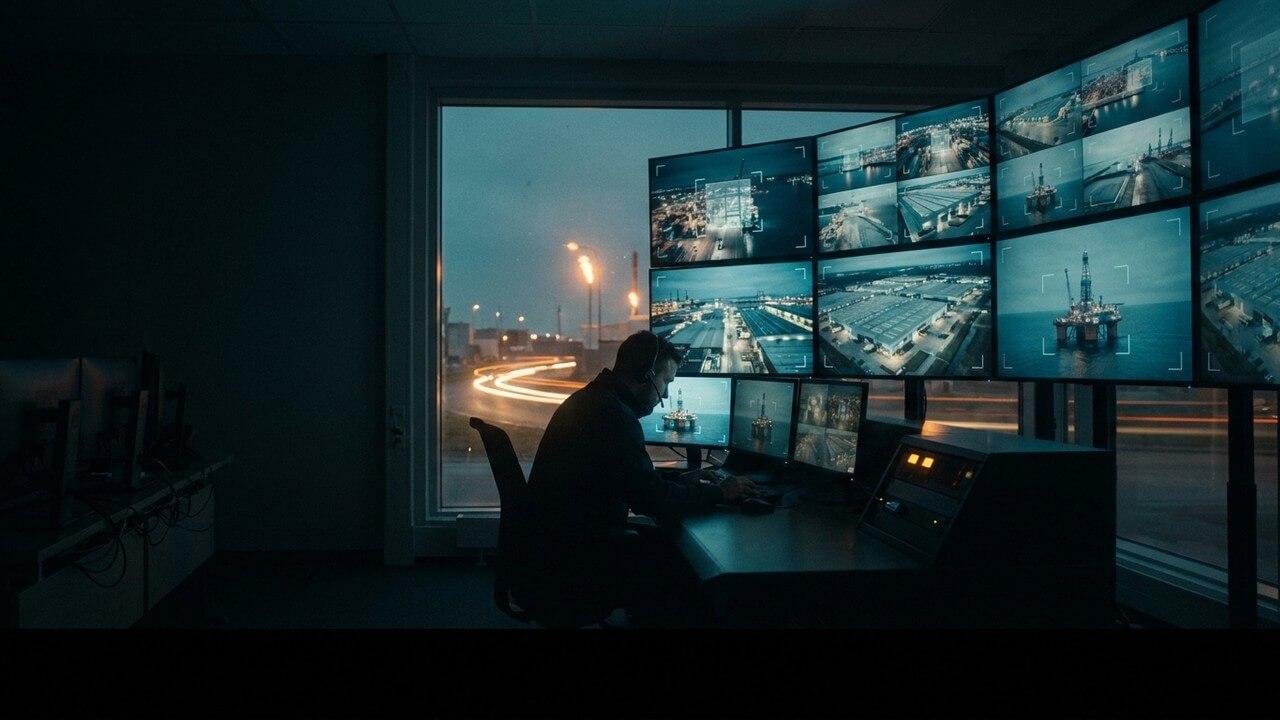
Walk into any control room in heavy industry and you will find the same scene. A bank of monitors, a grid of camera feeds, and either an empty chair or a single guard whose attention is spread across forty views at once. The cameras see everything. The person watching them sees almost nothing — not through any fault of their own, but because no human being can watch forty screens for eight hours and catch the two seconds that matter.
Here is the part that stings. You have already paid for those cameras. You paid to buy them, to mount them, to cable them, to record them. They run all day, every day, capturing near-misses and unsafe acts in perfect detail. And most of that footage is only ever looked at after something has gone wrong, when it becomes evidence rather than prevention.
The interesting question for a safety leader in 2026 is not "should we install more cameras". It is "why isn't the footage we already collect actually keeping anyone safe".
The hidden asset on your ceiling
A modern site is already saturated with cameras. Warehouses, yards, gantries, loading bays, plant rooms — the coverage is there. What has been missing is not the eyes. It is the attention.
Safety AI closes that gap. It is a software layer that connects to the CCTV you already run and watches every feed at once, without fatigue, without blinking, without a coffee break. When it sees a person walk into the path of a reversing vehicle, a worker without a helmet in a hard-hat zone, someone entering a restricted area, or a body on the ground that has not moved, it flags it in real time — a second alert to a supervisor's phone, a horn, a lamp, a log entry.
Nothing about the picture changes. The same cameras, the same angles, the same recorder. What changes is that somebody — or rather something — is finally watching all of it, all the time.
Retrofit, not rip-and-replace
The instinct in procurement is to assume that a new capability means new capital equipment. New sensors on every forklift. Wearables on every worker. Beacons, tags, gateways, a project that takes eighteen months and a budget line that gets it quietly deferred.
Retrofit video analytics inverts that. The platform ingests standard RTSP or ONVIF streams — the same protocols your existing IP cameras and NVRs already speak. There is nothing to bolt on, nothing to route down an aisle, nothing to charge overnight, nothing for a worker to forget to wear. A camera that has been staring at the same loading bay since 2019 becomes an active safety sensor the day you connect it, and it costs nothing more to run than the electricity it was already drawing.
This matters beyond the invoice. Every wearable and vehicle sensor is a device that can fail, drift, run flat or be left in a locker. Your cameras are fixed, powered, maintained and already part of the site's routine. You are adding intelligence to infrastructure that is proven, not introducing a new fleet of things that can break.
On-premise, so the footage never leaves site
There is an understandable nervousness about pointing an AI at live footage of your workforce. Where does the video go. Who can see it. What happens to it.
With the right platform, the answer is simple: nowhere, and only you. The analysis runs on-premise, on a server in your own comms room, on your own network. Frames are processed on site and discarded; what leaves the box is an event — "restricted-zone entry, bay four, 14:07" — not a stream of faces. Nothing is shipped to a cloud you don't control. For unionised sites, for sensitive facilities, for anywhere a camera on the perimeter is a governance question, that distinction is the difference between a project that gets approved and one that stalls in legal.
Proven where the cameras are hardest to trust
It is one thing to detect a person on a clean, well-lit demo floor. It is another to do it reliably in the real world, where lenses fog, light swings from glare to shadow, and equipment moves fast and heavy.
This detection was forged offshore, on the drill floors of oil and gas — heavy moving steel, spray, vibration, round-the-clock operation, and zero tolerance for a missed alert because a missed alert can cost a life. From there it has gone on to run in a national oil major's operations, a major international port and an international airport, holding a sub-0.05% error rate and, on monitored sites, contributing to reductions of around 90% in unsafe behaviour once people know the cameras are finally paying attention. If it holds up on a moving drill floor, it will hold up on your loading bay.
What it actually looks like to switch on
The rollout is mercifully dull, which is exactly what you want from safety infrastructure.
Step one: connect
The platform is pointed at your existing camera streams. No ladders, no cabling, no downtime on the floor. Most sites are ingesting their first feeds within a day.
Step two: tune
You decide which hazards matter where. A hard-hat rule on the plant floor but not the office corridor. A red zone drawn around the baler. A speed threshold in the yard. The rules follow your site, not a generic template.
Step three: act
Alerts route to wherever your team already looks — a phone, a screen, a klaxon, a dashboard. Every event is logged and timestamped, which turns your safety reporting from anecdote into evidence and gives you a trend line instead of a shrug.
The economics are almost unfair
Strip it back and the proposition is straightforward. The most expensive part of a vision-based safety system — the cameras, the mounting, the cabling, the recording — is already installed and already paid for. Adding the intelligence is a software decision, not a construction project. You are not buying sight. You are buying attention, on infrastructure you already own, without asking a single worker to wear or carry anything new.
For a safety leader under pressure to show measurable improvement without a capital fight, that is a rare thing: a serious upgrade that starts with the assets already on the ceiling.
The cameras have been watching for years. It is time something watched them back.
Maximising what you already have: a practical guide
Camera compatibility: what works and what does not
The vast majority of IP cameras installed on industrial sites over the past ten years are compatible with an AI monitoring layer, because they output standard video streams accessible via ONVIF or RTSP. Older analogue cameras connected to a DVR are compatible if the DVR has network video outputs. The Discovery phase camera survey identifies any cameras in the estate that do not meet the minimum specifications for reliable detection — typically cameras with resolution below 2 megapixels, very wide-angle fisheye lenses, or cameras with significant lens contamination or positioning issues.
The cameras that add the most value for safety monitoring
Not all cameras are equally valuable for safety monitoring. Cameras positioned at gate entries and aisle ends — where vehicle-pedestrian conflicts most frequently occur — have the highest safety monitoring value. Cameras covering the interior of work zones, machine areas and height-access points are next. Cameras covering exterior perimeters and car parks typically have the lowest safety value and are the lowest priority for AI layer connection.
The Discovery phase maps the existing camera estate against the priority monitoring requirements and produces a prioritised connection order: the ten cameras that provide the most safety coverage value come online first, and the remaining cameras are connected in decreasing priority order as the deployment expands.
Getting more from cameras already in place
Many industrial CCTV systems were installed for security or access control purposes, with camera positions optimised for face recognition or licence plate capture at entry points. These positions may not be optimal for safety monitoring — a camera designed to capture a face at 2 metres has a different lens and position to a camera designed to detect a vehicle-pedestrian conflict at 30 metres. The Discovery phase identifies where repositioning or supplementing existing cameras would significantly improve safety monitoring coverage.
Implementation checklist for AI on existing CCTV
- Camera inventory: compile a complete list of all IP cameras on site, their locations, specifications, network addresses and current VMS connections
- Network topology review: confirm that the camera network and the edge compute node location are on the same LAN segment, or that the network capacity between them is sufficient for the video stream load
- VMS integration approach: define whether the AI layer will run in parallel with the existing VMS or integrate with it — parallel operation is simpler and does not risk disrupting the existing security monitoring function
- Camera health check: as part of the Discovery phase, assess the current health of all cameras to be connected — clean lenses, functional IR, correct angle and focus are prerequisites for reliable detection
- Coverage gap identification: identify the areas with no camera coverage and determine whether these gaps correspond to high-risk areas that require new camera installation or wearable monitoring as a coverage supplement
See what your cameras have been missing — book a demo.